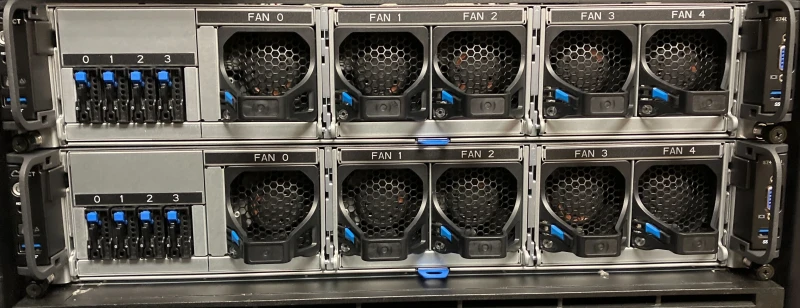
Our xlg nodes feature NVIDIA L40S GPUs, based on the Ada Lovelace
architecture. They are a cheaper alternative to the H200 GPUs but still offer
competitive performance depending on your scientific problem. In this blog post,
we will compare the A100, H200, and L40S GPUs to help you decide which one to
use for your jobs.
Don't use a notebook to do an HPC job-script's job, unless your notebook is also a
job-script. Marimo, an alternative to Jupyter, enables this, and also helps mitigate
some other common criticisms of notebooks. Through the magic of web-assembly,
it even allows your Python code to live rent-free in someone else's web browser.
Using Lyapunov fractals as a somewhat psychedelic example, we might as well
experiment with multiprocessing and shared memory along the way.
The programming language C++ is still widely used today, especially for
high-performance computing. Out-of-date practices from the 80s and 90s should
still work now because the language is designed to be highly backwards
compatible. As C++ evolved, there were numerous efforts to modernise the
language and update programming practices with new features to improve the C++
experience, such as memory-safety features.
Hybrid programming allows you to program the majority of your software in your
favourite language but performance-critical parts in a faster language. With the
Python package CuPy, you can program CPU code in Python and
custom GPU kernel functions in CUDA. Thus, we can design our software with a
familiar Python interface but run faster GPU code under the hood.
CuPy also has GPU versions of existing NumPy functions which may help transition
your CPU code to the GPU without modifying your code too much. This may also
help structure your GPU code with familiar NumPy functions, making it readable
to many Python users.
In a previous blog, we looked at using
Numba to speed up Python code by using a
just-in-time (JIT) compiler and multiple cores. The speed-up is remarkable with
small changes to the existing code.
In this blog post, we will continue exploring the Numba ecosystem and implement
the Gauss map on the GPU, gaining further speed up while still writing Python
code. We will also look at CuPy which is another way to
write and run GPU code. Instead of being Pythonic, it allows hybrid programming
where the GPU code is written in CUDA but executed in Python.
One key advantage of hybrid programming is writing software in your preferred
language while optimising performance-critical sections in a faster language -
the best of both worlds!
With the major operating system upgrade from Centos 7 to Rocky 9, we want to
ensure that using R, RStudio, and Open OnDemand (OOD) is as seamless as
possible. This post will include new tips for a better experience, as well as a
reiteration of the important or frequently forgotten old tips.
In this blog post, we will play about with neural networks, on a dataset called
ImageNet, to give some intuition on how these neural networks work. We will
train them on Apocrita with
DistributedDataParallel
and show benchmarks to give you a guide on how many GPUs to use. This is a
follow on from a previous blog post where we explained how to
use DistributedDataParallel to speed up your neural network training with
multiple GPUs.
The delivery of new GPUs for research is continuing, most notable is the new
Isambard-AI cluster at
Bristol. As new cutting-edge GPUs are released, software engineers are
tasked with being made aware of the new architectures and features these new
GPUs offer.
The new Grace-Hopper GH200 nodes, as announced in a previous blog
post, consist of a 72-core NVIDIA Grace CPU and an
H100 Tensor Core GPU. One of the key innovations is the NVIDIA NVLink
Chip-2-Chip (C2C) and unified memory, which allows fast and seamless automation
of transferring data from CPU to GPU. It also allows the GPU to be
oversubscribed, allowing it to handle data much larger than it can host,
potentially tackling out-of-GPU memory problems. This allows software engineers
to focus on implementing algorithms without having to think too much about
memory management.
This blog post will demonstrate manual GPU memory management and introduce
managed and unified memory with simple examples to illustrate its benefits.
We'll try and keep this to an introductory level but the blog does assume basic
knowledge of C++, CUDA and compiling with nvcc.
In this blog post, we explore what
torchrun and
DistributedDataParallel
are and how they can be used to speed up your neural network training by using
multiple GPUs.
We still encounter jobs on the HPC cluster
that try to use all the cores on the node on which they're running, regardless
of how many cores they requested, leading to node alarms. Sometimes, jobs try
to use exactly twice or one-and-a-half the allocated cores, or even that number
squared. This was a little perplexing at first. In your enthusiasm to parallelize
your code, make sure someone else hasn't already done so.